Flowcall
Examples / Data science
Allocate a limited budget
Decide how many signups to buy from each marketing campaign to maximize expected value under a total budget, per-region caps, and per-campaign minimums — then get the plan approved.
What it teaches
- Optimize task
- Plain-language limits
- Binding constraints
- Approval on the plan
Try it
- In Flowcall, open Learn and choose Examples.
- Install Allocate a limited budget.
- Press Run now and open the Results tab.
Learn more
- 3. Optimization: the best plan under limits in the Data science guide
- 4. From prediction to decision in the Data science guide
The steps
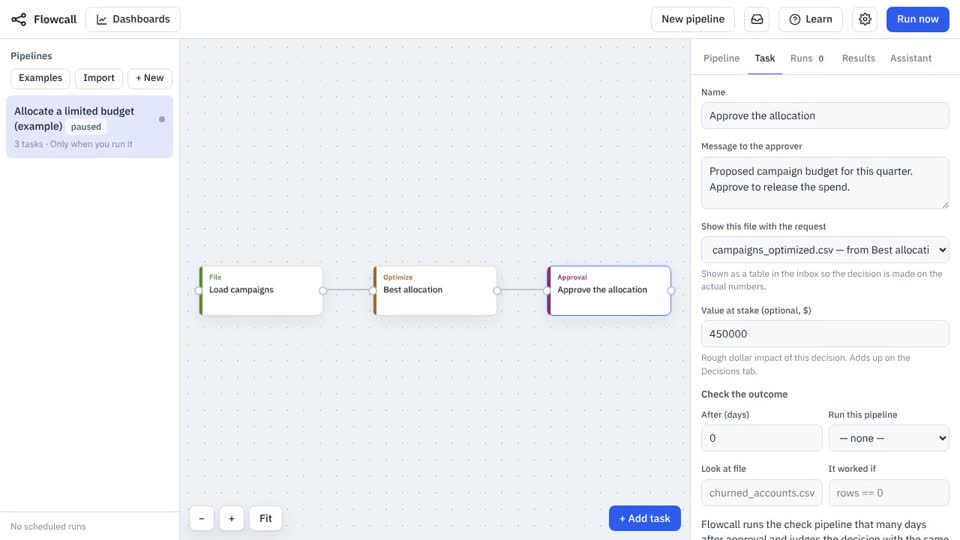
- Load campaigns Move a file
Brings
campaigns.csvinto the run. - Best allocation Optimize
- Approve the allocation Approval
Asks: “Proposed campaign budget for this quarter. Approve to release the spend.” Value at stake: $450,000.
What it looks like