Flowcall
Examples / Analytics
Your first pipeline
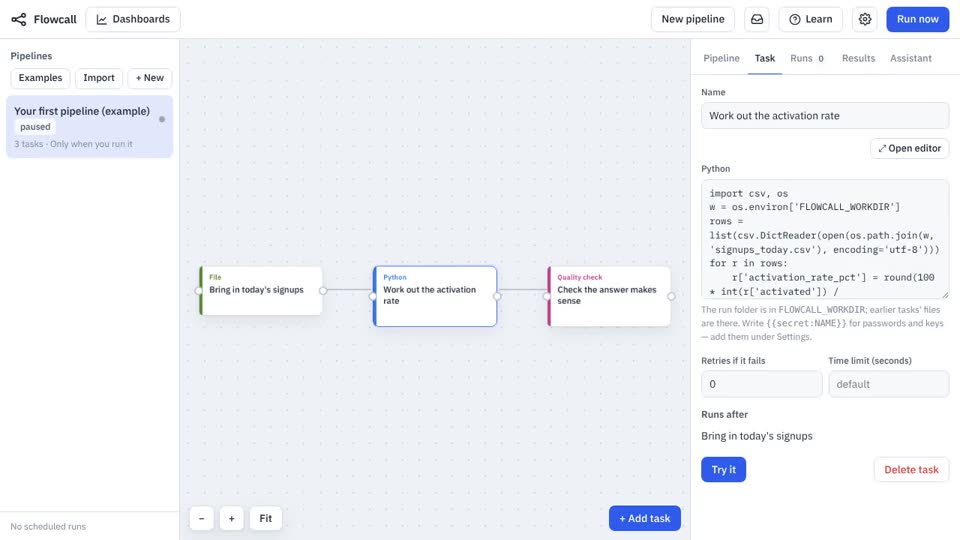
Three steps, each a different kind: bring a file in, calculate something in Python, and check the answer. The smallest pipeline that shows how steps pass files to each other.
What it teaches
- Linking steps
- The run folder
- Reading a log
Try it
- In Flowcall, open Learn and choose Examples.
- Install Your first pipeline.
- Press Run now and open the Results tab.
Learn more
- 1. What a pipeline is, in Flowcall terms in the Analytics guide
The steps
- Bring in today's signups Move a file
Brings
signups_today.csvinto the run. - Work out the activation rate Python
- Check the answer makes sense Quality check
rows == 4
range: activation_rate_pct 50 100
not_null: plan
What it looks like