Flowcall
Examples / Data engineering
Turn a billing inbox into a table
Works offline: sample messages in exactly the shape the Read-a-mailbox task produces. Filter the payment processor's daily payout reports, count what arrived, and check none are missing. Swap the first step for a real mailbox connection when you are ready.
What it teaches
- messages.csv shape
- Filtering email
- Missing-report checks
Try it
- In Flowcall, open Learn and choose Examples.
- Install Turn a billing inbox into a table.
- Press Run now and open the Results tab.
Learn more
- 6. Reading a mailbox as a data source in the Data engineering guide
The steps
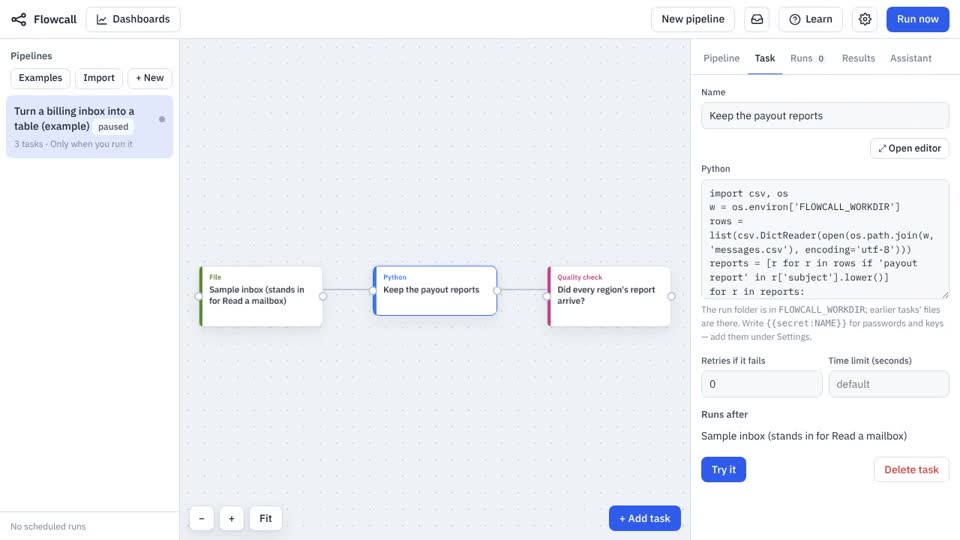
- Sample inbox (stands in for Read a mailbox) Move a file
Brings
messages.csvinto the run. - Keep the payout reports Python
- Did every region's report arrive? Quality check
rows >= 3
allowed: region NA, EMEA, APAC
not_null: attachments
What it looks like