Flowcall
Examples / Analytics
Renewal review
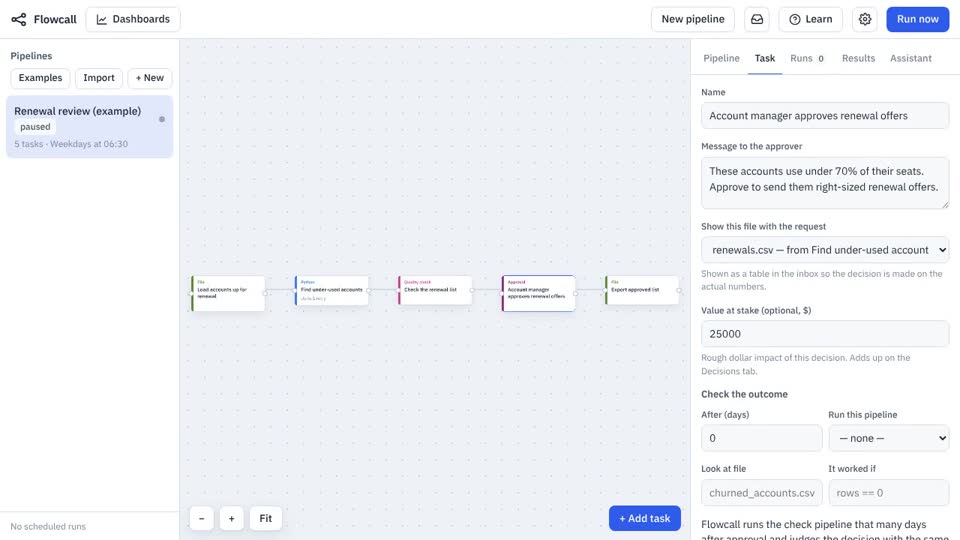
Find accounts up for renewal that use too few of their seats, check the data, and route right-sized renewal offers to an account manager for approval — with a dollar value and an outcome check.
What it teaches
- Move a file
- Python transform
- Quality check
- Approval with value and outcome
- Results as Excel
Try it
- In Flowcall, open Learn and choose Examples.
- Install Renewal review.
- Press Run now and open the Results tab.
Learn more
- 4. Route a decision to a person in the Analytics guide
- 1. Why decisions need a record in the Decisions guide
The steps
- Load accounts up for renewal Move a file
Brings
accounts.csvinto the run. - Find under-used accounts Python
- Check the renewal list Quality check
rows >= 1 not_null: account_id, region, offer_seats unique: account_id range: offer_seats 1 5000 allowed: region NA, EMEA, APAC, LATAM - Account manager approves renewal offers Approval
Asks: “These accounts use under 70% of their seats. Approve to send them right-sized renewal offers.” Value at stake: $25,000.
- Export approved list Move a file
Saves
renewals.csvto Files, date-stamped.
What it looks like